Reordering page structure#
Quick Reminder#
- From the main
 tab, click & drag a page to it's new position.
 - Click on the page, and then click on
 , to make it's new position live.
Moving pages with drag & drop#
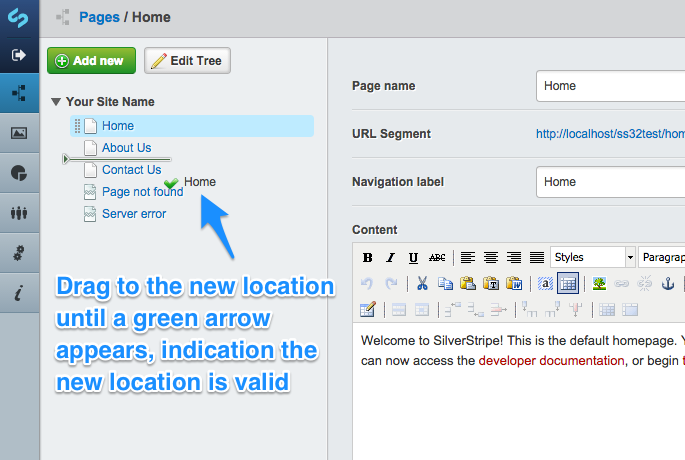
- From the main tab, click & drag a page to it's new position.
Dragging a page between two other pages, will move the page in-between.
Dragging a page on top of another page, shall move the page inside that section, as a subpage.
- Once you have reordered any pages, you must click on a page and the to make the new page order live.
Moving pages between sections without drag & drop#
You can also change the section a page appears within, without having to use drag & drop:
- Click on the page you wish to move, to enter the Editing mode.
- Click on the
 tab in the top right-hand corner.
 - Under Page location you can then choose whether you wish this page to appear at the Top Level, or as a sub page, underneath a parent page.
- Click